The Hongkong and Shanghai Banking Corporation Limited, 1 Queen's Road Central, Hong Kong.
2233 3000, e-marketing@hsbc.com.hk
香港上海匯豐銀行有限公司,香港皇后大道中1號,2233 3000,e-marketing@hsbc.com.hk
HSBC: Download HSBC Mobile Banking App and take part in the game to win a Samsung GALAXY S4 every day!
If you cannot view this email properly, please click here.

HSBC
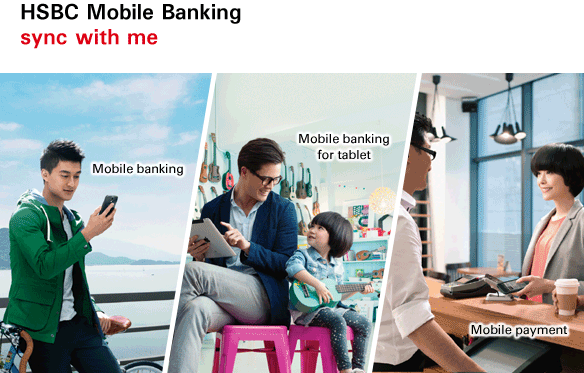
HSBC Mobile Banking
sync with me
Every interface, every facet of your life
Today, you want a bank that's in sync with the pace of your life - fast, mobile and on the go. That's why we created an immersive banking experience centring around your everyday needs to keep you connected, and enables you to enjoy secure and comprehensive banking service via any device, any time, just the way you want.
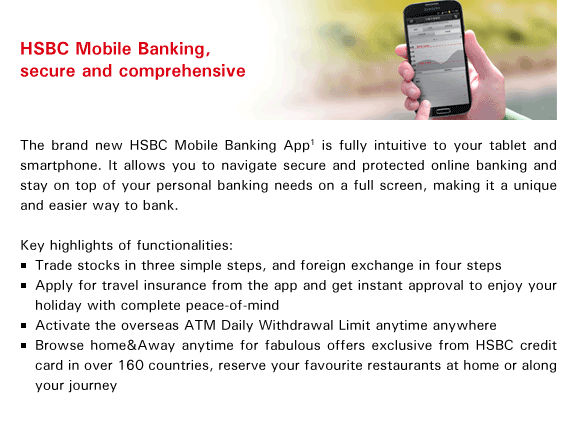
HSBC Mobile Banking, secure and comprehensive
The brand new HSBC Mobile Banking App(1) is fully intuitive to your tablet and smartphone. It allows you to navigate secure and protected online banking and stay on top of your personal banking needs on a full screen, making it a unique and easier way to bank.

Key highlights of functionalities:
- Trade stocks in three simple steps, and foreign exchange in four steps
- Apply for travel insurance from the app and get instant approval to enjoy your holiday with complete peace-of-mind
- Activate the overseas ATM Daily Withdrawal Limit anytime anywhere
- Browse home&Away anytime for fabulous offers exclusive from HSBC credit card in over 160 countries, reserve your favourite restaurants at home or along your journey
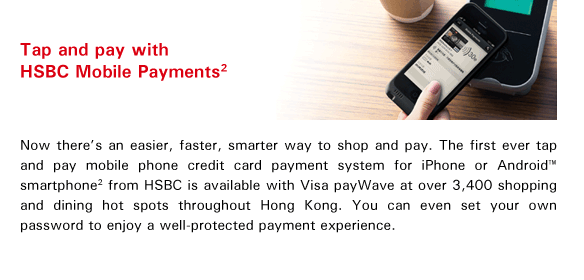
Tap and pay with HSBC Mobile Payments(2)
Now there's an easier, faster, smarter way to shop and pay. The first ever tap and pay mobile phone credit card payment system for iPhone or Android™ smartphone(2) from HSBC is available with Visa payWave at over 3,400 shopping and dining hot spots throughout Hong Kong. You can even set your own password to enjoy a well-protected payment experience.
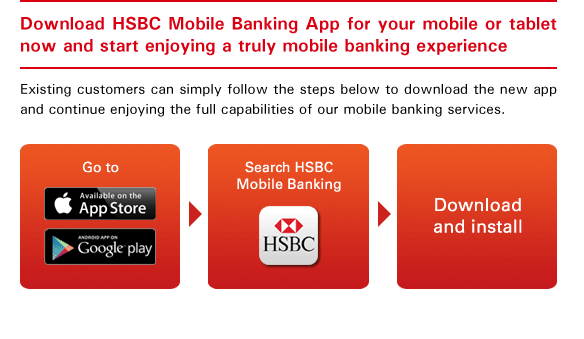
Download HSBC Mobile Banking App for your mobile or tablet now and start enjoying a truly mobile banking experience
Existing customers can simply follow the steps below to download the new app and continue enjoying the full capabilities of our mobile banking services.
- Go to App Store or Google Play
- Search HSBC Mobile Banking
- Download and install
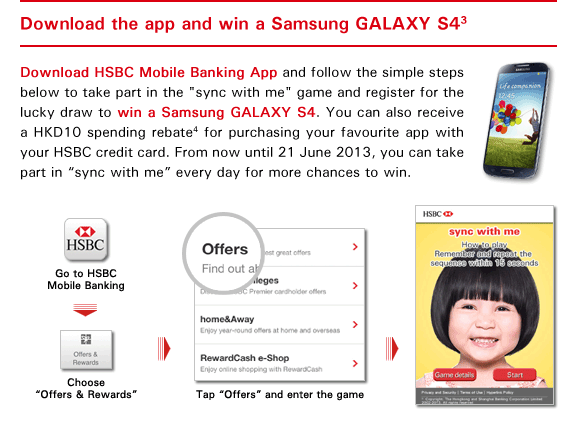
Download the app and win a Samsung GALAXY S4(3)
Download HSBC Mobile Banking App and follow the simple steps below to take part in the 'sync with me' game and register for the lucky draw to win a Samsung GALAXY S4. You can also receive a HKD10 spending rebate(4) for purchasing your favourite app with your HSBC credit card. From now until 21 June 2013, you can take part in 'sync with me' every day for more chances to win.
Visit www.hsbc.com.hk/syncwithme

Terms and conditions apply. For details, please click here.
Notes:
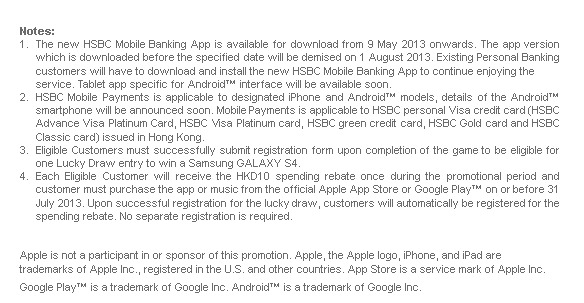
1. The new HSBC Mobile Banking App is available for download from 9 May 2013 onwards. The app version which is downloaded before the specified date will be demised on 1 August 2013. Existing Personal Banking customers will have to download and install the new HSBC Mobile Banking App to continue enjoying the service. Tablet app specific for Android™ interface will be available soon.
2. HSBC Mobile Payments is applicable to designated iPhone and Android™ models, details of the Android™ smartphone will be announced soon. Mobile Payments is applicable to HSBC personal Visa credit card (HSBC Advance Visa Platinum Card, HSBC Visa Platinum card, HSBC green credit card, HSBC Gold card and HSBC Classic card) issued in Hong Kong.
3. Eligible Customers must successfully submit registration form upon completion of the game to be eligible for one Lucky Draw entry to win a Samsung GALAXY S4.
4. Each Eligible Customer will receive the HKD10 spending rebate once during the promotional period and customer must purchase the app or music from the official Apple App Store or Google Play™ on or before 31 July 2013. Upon successful registration for the lucky draw, customers will automatically be registered for the spending rebate. No separate registration is required.

Apple is not a participant in or sponsor of this promotion. Apple, the Apple logo, iPhone, and iPad are trademarks of Apple Inc., registered in the U.S. and other countries. App Store is a service mark of Apple Inc.

Google Play™ is a trademark of Google Inc. Android™ is a trademark of Google Inc.

Please do not reply to this email. Should you wish to contact us, please send an email to csv@hsbc.com.hk and we will get back to you.
Note: It is important that you do not provide your account or credit card number, or disclose any confidential information or banking instructions in your email.

Should you prefer not to receive promotional emails from The Hongkong and Shanghai Banking Corporation Limited, please send us your request by emailing to unsubscribe@hsbc.com.hk. Please use your email address that you would like to stop receiving promotional emails when submitting the request to us. Please do not provide any of your details including your account or credit card number, or disclose any confidential information such as telephone number, other email address, etc in your email. We will arrange to have your email address excluded from our promotional email list without charge. If you wish to make any enquiry or request, please contact us by calling 2748 3350 and please do not send your enquiry or request to unsubscribe@hsbc.com.hk.

如果您不想收取香港上海匯豐銀行有限公司的宣傳電郵,請透過您希望停止收取本行宣傳電郵之電郵地址發送電郵至unsubscribe@hsbc.com.hk。請勿於電郵內透露戶口、信用卡號碼或其他重要個人資料,例如電話號碼、其他電郵地址等。當我們收到您的電郵,我們將會從宣傳電郵名單中刪除您的電郵地址,此項安排不另收費。如有查詢或需要其他協助,請致電2748 3350聯絡我們,並請勿將查詢或其他需求發送電郵至unsubscribe@hsbc.com.hk。

We maintain strict security standards and procedures to prevent unauthorised access to information about you. We will never contact you by email or otherwise and ask you to validate personal information such as your user ID, password or account numbers. If you receive such a request, please call 2748 8033.

This e-mail is confidential. It may also be legally privileged. If you are not the addressee you may not copy, forward, disclose or use any part of it. If you have received this message in error, please delete it and all copies from your system and notify HSBC immediately by calling the above respective hotline.

Internet communications cannot be guaranteed to be timely secure, error or virus-free. The sender does not accept liability for any errors or omissions.


Privacy and Security . Terms of Use . Hyperlink Policy
© Copyright. The Hongkong and Shanghai Banking Corporation Limited 2013. All rights reserved.